Furniture sales involve more questions than most industries. Which fabric, which color, is the sectional left- or right-facing, are the legs wood or metal, when is delivery, and who handles assembly? When your dealers try to get these answers by phone, through WhatsApp messages, and from catalogs passed from hand to hand, both you and your dealers lose time. This is exactly where a dealer portal helps: it brings product options, prices, and order status together on a single screen your dealers can check on their own.
What Makes Ordering Difficult for Furniture Dealers?
In furniture, the same model can be sold in dozens of different combinations. Once you choose a fabric group, color, number of modules, and leg type for a sofa, you end up with a large number of variations. If this information is entered incompletely or incorrectly on the order form, the wrong product gets built in production, leading to a return.
On top of that, a few other typical problems come up often:
- Dealers order from outdated PDF catalogs and calculate prices from an old price list.
- Each dealer has a different discount, but those differences live in a sales rep's memory or in an Excel file.
- The dealer gives their customer a delivery date without knowing whether the product is in stock or still has to go into production.
- Delivery and assembly appointments are arranged through a separate channel, losing their link to the order record.
What these problems have in common is that the information does not live in one place. A portal is the most practical way to bring that scattered information together. If you are new to the topic, you can start with our article What Is a Dealer Portal?
Fabric, Color, and Module Selection on the Order Screen
In a dealer portal built for furniture, the dealer selects the product and then chooses the fabric and color on the same screen. For modular products, they build their own configuration by adding pieces one by one. In other words, they settle which modules make up the sectional and which way it faces at the moment of ordering.

For furniture and home products, these Multistok features stand out:
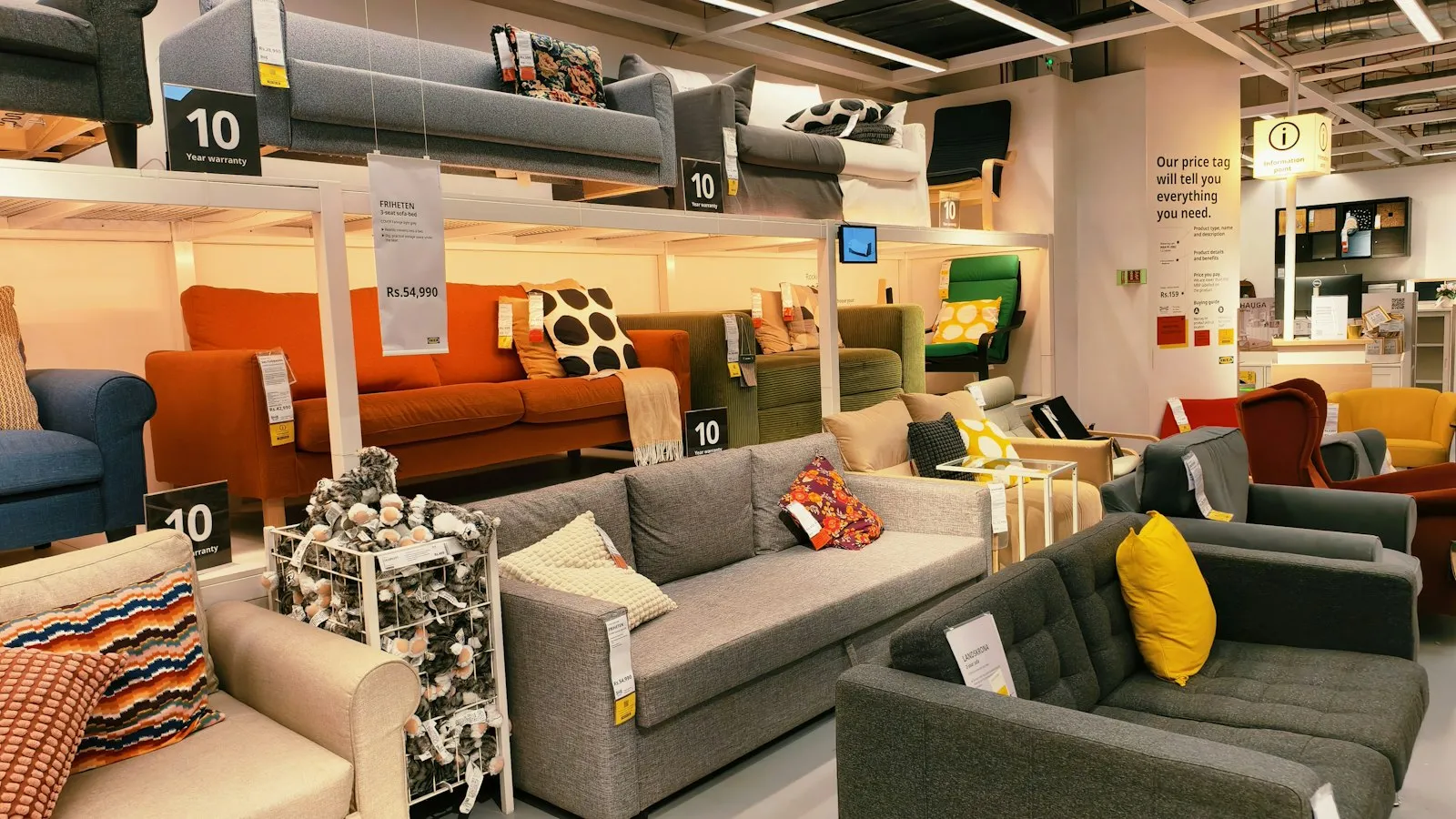
- Rich visual catalog: With 3D and detailed images, dealers can show products to their customers right on screen.
- Fabric and color selection: Options are defined together with the product, so the dealer picks from a list instead of typing free text.
- Modular configuration: For products assembled piece by piece, the right combination is created at the moment of ordering.
- Design consultation workflow: For custom-size or project-based requests, the dealer submits the request in a structured format.
With this setup, the order that goes to production matches the product the dealer has in mind. Costly mistakes such as the wrong fabric or a sectional facing the wrong way become less common.
Dealer-Specific Pricing and Discounts
Most furniture manufacturers offer different terms to different dealers. The discount given to a large store chain is not the same as the one given to a small-town dealer. In the portal, each dealer sees only their own prices and discounts when they log in. With customer group pricing, you can also manage similar dealers in one go.
Seasonal campaigns, quantity-based tiered pricing, and cart discounts are also defined in the portal. The dealer's credit limit and open balance appear in the same place. As a result, your sales team spends its time on the dealers who really need attention, not on phone calls asking about prices.
The same goes for your field sales reps. A rep visiting a dealer can prepare orders and quotes through the mobile app, and the app works offline in places with a weak connection. A dealer who wants to repeat a previous order can use the reorder feature instead of filling the cart from scratch.
Making Delivery and Assembly Visible
In furniture, the sale does not end when the product leaves the warehouse. Delivery planning and dispatching the assembly team directly affect the end customer's satisfaction. When delivery and assembly planning is kept together with the order in the portal, the dealer can confidently tell their customer when the product will arrive.
Two-way, real-time synchronization with your ERP also matters here. When stock, price, and order information is updated in sync with your ERP, the dealer sees accurate information about whether a product is in stock or will go into production. Ready-made connectors are available for widely used ERPs such as Logo, Mikro, Netsis, and Nebim, and systems that support XML or REST/SOAP can be connected as well.
For small items and accessories, shipping integration makes things easier too. The shipment is created automatically, the label is prepared, and the tracking code is sent to the dealer by SMS or WhatsApp. Instead of calling to ask "Where is my shipment?", the dealer tracks the status on their own.
What Should You Watch Out for During the Transition?
Moving to a dealer portal starts with well-organized product data. The checklist below will help you clarify your preparation:
| Preparation step | Why it matters |
|---|---|
| Standardize your fabric and color groups | Options need to be clearly defined so dealers can pick from a list. |
| Write down the combination rules for modular products | When it is clear which piece can be combined with which, incorrect orders decrease. |
| Consolidate dealer price lists into a single file | Price types are defined based on this list during setup. |
| Review your images | In furniture, dealers often explain products to their customers through images. |
| Assign who is responsible for delivery and assembly | It should be clear from the start who owns the planning. |
With Multistok, setup begins with discovery and analysis, followed by integration and configuration, and the final step is training for your dealers in Turkish. Plans running on Multistok infrastructure are set up in 3–5 business days, while plans running on your own server take about 2–3 weeks.
Conclusion
As options multiply in the furniture dealer business, an ordering process run by phone and Excel starts to produce errors. Bringing fabric, color, and module selection, dealer-specific pricing, stock information, and delivery planning together in a single portal simplifies the work for both you and your dealers. To explore industry-specific features, you can visit our home and furniture page, or request a Multistok demo.