Automotive spare parts distribution is one of the most demanding industries for B2B software. Tens of thousands of SKUs, constantly changing prices, same-day delivery expectations, and repair shops, retail stores, and sub-dealers, each working under different terms, all have to be managed at once. A general-purpose order screen struggles to carry that load.
When choosing software, the first thing that comes to mind is parts search, and rightly so. We covered OEM, equivalent, and cross-reference search in detail in a separate article: Searching by OEM part number and equivalent part number in spare parts sales. In this article, we focus on the topics beyond search that are often overlooked during the selection process.
Infrastructure That Can Handle a Large Catalog
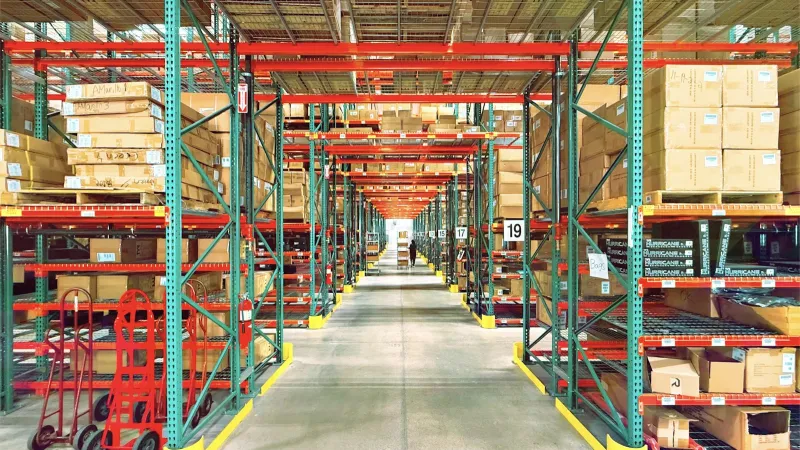
A spare parts catalog doesn't stop at a few hundred products. Between filters, gasket sets, bearings, electrical parts, and body parts, the product count easily passes tens of thousands. At this scale, three things become important:
- Speed: Search and listing pages shouldn't slow down as the catalog grows. A dealer waiting for results will reach for the phone.
- Bulk data management: Adding products, updating prices, and linking images should be possible in bulk, not one by one. Automatic data flow from your ERP to the portal is decisive here.
- Category structure: Product groups should be organized the way dealers think. Users should be able to narrow down step by step, such as "brake system, brake pads, front."
Fast Ordering: Repair Shops Can't Wait
If a mechanic has a car up on the lift and is waiting for a part, every minute spent on the order screen means your dealer's customer is kept waiting. That's why the order flow needs to be short.
- Quick add by code: Dealers should be able to type the code and quantity and add it straight to the cart without opening the product page.
- Bulk ordering via Excel: Large dealers prepare their weekly needs list in Excel. Being able to upload that list and turn it into a cart in one go saves a lot of time.
- Reordering: For frequently purchased consumable items (oil filters, wipers, bulbs), repeating a previous order should take a single click.
- Cutoff time information: If you have a rule like "orders placed by 3:00 p.m. ship the same day," dealers should see it on the cart screen.
Dealer Tiers and Pricing
In spare parts, the same product sells at different prices depending on who buys it. Large sub-dealers, independent repair shops, fleet customers, and retail stores each represent a separate price tier. On top of that come brand-based discounts and special agreements.
What you need to look for in software is the ability to manage these layers through rules rather than by hand: price lists by dealer group, discounts by brand or product group, and dealer-specific exceptions. When a dealer logs in, they should see only their own prices, never anyone else's. We explained why this matters in our article on customer-specific pricing.
In an industry that runs on payment terms, credit limits are part of this topic too. Having orders from a repair shop that has exceeded its limit automatically go to approval saves your sales team from making a tough call every time.
Stock Turnover and Warehouse-Level Visibility
In spare parts, stock information isn't just "in stock" or "out of stock." Which warehouse is the product in, can it ship today, or will it arrive tomorrow? For a distributor with multiple warehouses, dealers need to see the answers to these questions in the portal.
- Stock should be synced with your ERP and up to date.
- In a multi-warehouse setup, it should be possible to show stock at the warehouse closest to the dealer or the one that will ship the order.
- If you don't want to show exact quantities, you should be able to choose tiered displays such as "low," "available," and "plenty."
- Reorder alerts for critical products keep you from running out of stock on your end.
We cover how to connect your warehouse structure to the portal in detail in our article on multi-warehouse management and integration.
Returns, Warranty, and Wrong Parts
Returns are unavoidable in spare parts. A part ordered by mistake, a product that doesn't fit the vehicle, or a defective part returned under warranty is a normal part of operations. The real question is whether this process runs through phone calls and WhatsApp messages or through a traceable workflow.
In a good system, it's clear which order and which invoice a return request is tied to, the dealer can see the status of the request, and a completed return is correctly reflected in the current account. For parts under warranty, tracking serial or lot numbers makes it easier to identify which batch is faulty. It's important to clarify with the software vendor during the selection stage how the returns workflow will be set up according to your business rules.
Seasonal Campaigns and Cross-Selling
Demand in the automotive aftermarket shifts with the seasons. Before winter, batteries, antifreeze, and wipers take the lead; before summer, A/C refrigerant and cabin filters. Showing dealers the right campaign at the right time during these periods directly boosts sales.
- Tiered quantity discounts: Rules like "5% off over 10 units, 8% off over 50 units" encourage dealers to stock up.
- Cart-based campaigns: Extra discounts or free shipping on orders above a certain amount.
- Frequently bought together: Suggesting brake discs to a dealer buying brake pads, or a water pump to a dealer buying a timing belt kit.

A Short Checklist for Your Selection
| Topic | Ask the Software Vendor |
|---|---|
| Catalog | How fast are search and listings with tens of thousands of products? Can products and prices be updated in bulk? |
| Ordering | Are quick add by code, bulk ordering via Excel, and reordering available? |
| Pricing | Can discounts be defined by dealer group, brand, and product group? |
| Credit | Does an order go to approval when the credit limit is exceeded? |
| Stock | Are real-time ERP sync and warehouse-level stock display possible? |
| Returns | Can return requests be handled in a traceable way, tied to the order? |
| Campaigns | Can tiered quantity and cart-based campaigns be set up? |
| Field | Can field sales reps enter orders from the same catalog during repair shop visits? |
How Does Multistok B2B Address These Needs?
Multistok B2B offers dealer-specific price lists and discounts, credit limits and approval workflows, bulk ordering via Excel, two-way stock and price sync with your ERP, and multi-warehouse support with lot and serial number tracking. In the campaign module, you can define cart-based and tiered quantity discounts, and AI-powered product recommendations help with cross-selling. Your field sales reps can enter orders during repair shop visits with a mobile app that works offline. For an industry-specific setup, see our automotive industry page.
Conclusion
In automotive spare parts, the right B2B software doesn't just find the part; it speeds up ordering, shows every dealer their own prices, accurately reflects stock and warehouses, makes returns traceable, and turns the season into sales. Questioning each of these topics one by one during selection reduces surprises after setup.
If you'd like to see how it would work for your own dealer structure, you can request a free demo.
Frequently Asked Questions
What Is the Most Critical Feature in Spare Parts B2B Software?
Parts search is the most critical topic, but it isn't enough on its own. Without dealer-specific pricing, current stock, and a fast order flow, even good search won't turn into orders.
Can Repair Shops and Sub-Dealers Use the Same Portal?
Yes. With dealer groups and role-based permissions, each user group sees its own price list, discounts, and order terms.
How Often Is ERP Stock Reflected in the Portal?
Multistok B2B works with two-way sync with supported ERPs. Sync frequency and which warehouses are displayed are configured during setup according to your needs.
How Long Does Setup Take?
For the Starter and Growth plans, setup takes 3-5 business days. For the Professional and higher plans, which require a dedicated server or ERP integration, it takes about 2-3 weeks.